
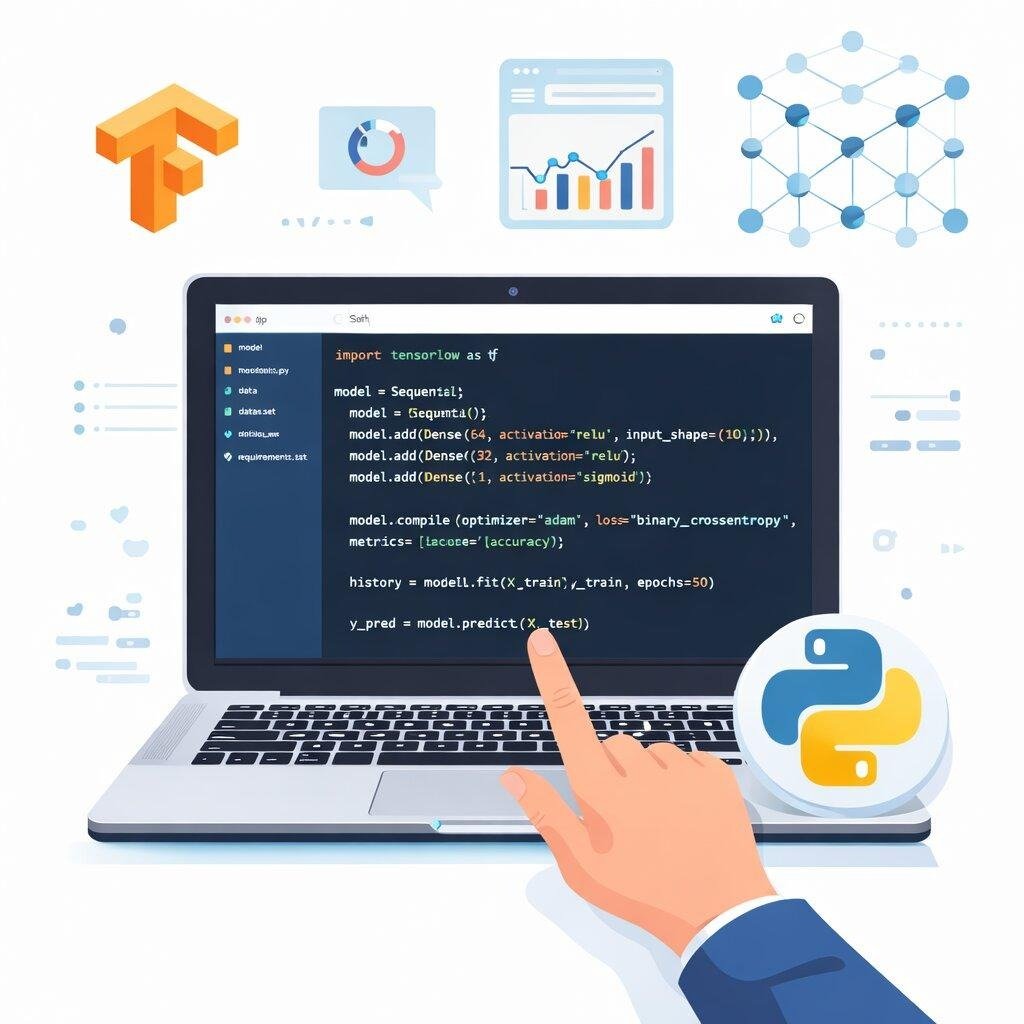
Tensorflow Career Quick Facts (Global 2026)
Indicative Salary Ranges:
While compensation varies heavily by region and employer, these are typical illustrative ranges for Tensorflow roles.
| Role Level | Example Remote Range (USD/yr) |
|---|---|
| Junior / Associate | $40,000 – $75,000 |
| Mid-Level | $70,000 – $110,000 |
| Senior / Lead | $120,000+ |
Table of Contents
1. What is TensorFlow? 2. Understanding Machine Learning Before TensorFlow 3. Difference Between Artificial Intelligence, Machine Learning, and Deep Learning 4. What Does TensorFlow Actually Do? 5. Real-World Applications of TensorFlow 6. Core Concepts Every Beginner Should Know 7. Why TensorFlow Is Worth Learning in 2026 8. Installing TensorFlow 9. Installing Python 10. Creating a Virtual Environment 11. Installing TensorFlow 12. Using Google Colab 13. Understanding Tensors in Practice 14. Your First TensorFlow Program 15. What is Keras? 16. Building Your First Neural Network 17. Understanding Model Training 18. Evaluating Model Performance 19. Popular TensorFlow Libraries 20. Real Projects You Can Build with TensorFlow 21. Common Mistakes Beginners Should Avoid 22. Best Learning Resources 23. Career Opportunities After Learning TensorFlow 24. Tips for Becoming a Better TensorFlow DeveloperLet's be honest, Artificial Intelligence (AI) isn't just some sci-fi dream anymore it's woven right into the fabric of our daily lives. Whether you're glancing at your phone to unlock it, asking a virtual assistant for the weather, binge-watching Netflix's spot-on recommendations, or instantly translating a menu abroad, machine learning is the quiet magic working behind the scenes.
Out of all the incredible tools out there for building these smart applications, TensorFlow really shines as one of the most dependable and popular choices. Born at Google, it's become the go-to framework that has empowered countless companies, passionate researchers, scrappy startups, and curious students to build intelligent solutions for everyday challenges.
If you're dreaming of diving into the exciting worlds of AI, Machine Learning, Deep Learning, Data Science, or Computer Vision, getting comfortable with TensorFlow is truly one of the best investments you can make in your career journey.
Don't worry if it sounds intimidating! This friendly, step-by-step guide is here to walk you through everything you need to grasp before you even type your very first line of TensorFlow code. By the time we wrap up, you'll have a solid feel for what TensorFlow actually is, why it's such a big deal, how it works its magic, where it's making an impact, and exactly how to get your own workspace ready to go.
What is TensorFlow?
At its heart, TensorFlow is an amazing open-source machine learning framework crafted by the team at Google. It's designed to help developers like you easily build, train, test, and launch both machine learning and deep learning models without tearing your hair out.
Instead of forcing you to painstakingly write out every single rule for a program to follow, TensorFlow flips the script it teaches computers to learn those rules on their own by looking for patterns in data. It's like teaching a child to ride a bike through practice rather than reading them a physics textbook. And the best part? The more data these applications process, the smarter and more intuitive they become.
You can think of TensorFlow as your ultimate AI toolkit packed with ready-to-use building blocks. Instead of reinventing the wheel and wrestling with complicated math, you get to focus on what really matters: solving meaningful problems and bringing your creative ideas to life.
Nowadays, you'll find TensorFlow quietly powering breakthroughs across so many fields, like:
Healthcare
Banking
Education
Agriculture
- Robotics
Cybersecurity
Transportation
- E-commerce
- Manufacturing
- Entertainment
What makes it so special is its incredible flexibility. It's gentle enough for a beginner trying out a simple classification model for the first time, yet powerful enough for seasoned engineers orchestrating massive neural networks with billions of parameters.
- Why TensorFlow Has Become So Popular
TensorFlow didn't just stumble into becoming an industry favourite. It earned its spot, and there are some really great reasons why so many developers have fallen in love with it.
1. Completely Open Source
First off, it's completely free! Anyone can download and dive into TensorFlow without worrying about pricey licensing fees. It's a wonderful playground where students can learn, startups can bring bold ideas to life, and researchers can tweak the code to fit their wildest experiments.
2. Strong Community Support
You're never alone on this journey. There's a vibrant, global family of millions of developers constantly sharing brilliant tutorials, helpful code on GitHub, engaging videos, and thoughtful advice. Whenever you hit a roadblock, there's a huge chance someone else has been there and already shared the fix.
3. Built by Google
Because it was born at Google and is lovingly maintained by their engineering team, you get real peace of mind. It means TensorFlow is here to stay, regularly receiving fresh updates, crucial security patches, and solid, long-term support you can rely on.
4. Works on Multiple Platforms
Whether you're building for a desktop or a tiny gadget, TensorFlow plays nice with almost everything. Your models can smoothly run on:
- Windows
- Linux
- macOS
- Android
- iOS
- Raspberry Pi
- Cloud servers
This amazing adaptability means it's ready for whatever cool project you dream up next.
5. Supports Hardware Acceleration
Nobody likes waiting ages for a model to train. Thankfully, TensorFlow knows how to speed things up by tapping into your hardware's full potential, including:
- CPUs
- GPUs
- TPUs (Tensor Processing Units)
This kind of acceleration is a lifesaver, cutting down training times for large neural networks from weeks to just hours or even minutes.
Understanding Machine Learning Before TensorFlow
Before we jump straight into TensorFlow, let's take a quick, cosy step back to chat about what machine learning actually is.
Think about how traditional software is made. It usually needs you to hold its hand and give it super explicit, step-by-step instructions.
For example, you might tell it:
- IF temperature > 30°C
- THEN turn on fan
It's straightforward, but it means you, the programmer, have to anticipate and write out every single rule by hand. Exhausting, right?
Machine learning, on the other hand, is a whole different ball game.
Instead of spelling out the rules, you simply show the computer lots of examples.
Imagine showing a computer thousands of pictures, gently pointing out, "Hey, these are cats, and those are dogs." Over time, the system starts noticing the subtle patterns pointy ears, different snouts and suddenly, it can accurately recognise a brand new photo of a puppy it's never laid eyes on before!
And that's exactly where TensorFlow steps in it beautifully simplifies this whole magical process of learning from data.
Difference Between Artificial Intelligence, Machine Learning, and Deep Learning
It's completely normal to feel a bit tangled up by these three terms when you're just starting out.
The easiest way to picture them is like a set of cozy nesting dolls, one sitting comfortably inside the other.
Artificial Intelligence (AI)
This is the big, exciting outer doll. It's the broad dream of creating systems that can handle tasks we'd normally think require a human brain to figure out.
Think of things like:
- Voice assistants helping you set timers
- Self-driving cars navigating busy streets
- Friendly chatbots answering your questions
- Recommendation systems suggesting your next favourite song
Machine Learning (ML)
Pop open AI, and inside you'll find Machine Learning. This is a specific approach where, instead of giving computers rigid rules, we let them figure out patterns by exploring data.
It's the magic behind:
- Filtering out pesky spam emails
- Trying to predict stock market trends
- Spotting sneaky fraudulent credit card charges
- Recommending that pair of shoes you were just looking at
Deep Learning (DL)
Finally, nestled right at the center is Deep Learning. This is a highly specialised, brain-inspired branch of machine learning that relies on deep artificial neural networks with many layers.
It tackles some of the toughest challenges, like:
- Recognising faces in photos
- Understanding spoken language
- Translating conversations on the fly
- Making autonomous driving a reality
The beauty of TensorFlow is that it's wonderfully versatile it happily supports both your everyday machine learning tasks and those deep, complex neural networks.
What Does TensorFlow Actually Do?
Simply put, TensorFlow is like your trusty project manager that handles the entire lifecycle of your machine learning journey, from start to finish.
Here's what a typical workflow feels like with it by your side:
- Gathering your raw data
- Tidying up that data so it's squeaky clean
- Prepping it to teach your model
- Designing the architecture of your neural network
- Patiently training your model
- Testing it to see how smart it really is
- Tweaking things to make it even better
- Finally, releasing your masterpiece into the real world
Instead of forcing you to pull your hair out writing thousands of complex mathematical equations by hand, TensorFlow gracefully crunches all those numbers in the background for you.
Real-World Applications of TensorFlow
It's genuinely amazing to see how TensorFlow is quietly making a difference in so many industries across the globe.
Healthcare
In hospitals, compassionate care is meeting cutting-edge tech. TensorFlow models are stepping up to help doctors analyse X-rays, MRIs, and CT scans. By catching subtle patterns that human eyes might miss, AI is empowering medical professionals to make faster, more confident diagnoses and ultimately save lives.
Banking
The financial world has also warmly embraced TensorFlow to keep our money safer and services smoother. It helps with:
- Catching fraud before it happens
- Assessing credit risks fairly
- Understanding what customers really need
- Speeding up the loan approval process
These smart models can spot a sketchy, out-of-character transaction in the blink of an eye!
E-Commerce
Have you ever wondered how your favourite online store always seems to know exactly what you want? That's often TensorFlow at work, trying to understand shopping habits.
It powers things like:
- Those spot-on product recommendations
- Predicting the best price drops
- Grouping customers to offer better deals
- Making sure warehouses don't run out of stock
Agriculture
Even out in the fields, farmers are turning to AI as a friendly helper to grow healthier, more abundant crops.
TensorFlow is pitching in by:
- Spotting plant diseases early on
- Analysing soil health for better planting
- Giving hyper-local weather predictions
- Running smart irrigation systems to save water
Education
We all learn differently, and educational platforms are using TensorFlow to make learning a more personal, supportive journey.
You can see it in action through:
- Quizzes that adapt to how well you're doing
- Friendly intelligent tutoring systems
- Automated grading that gives teachers their time back
- Analytics that help identify when a student might need a little extra help
Transportation
The dream of self-driving cars is getting closer to reality every day, and deep learning is the engine driving it forward.
TensorFlow is helping these vehicles with:
- Staying safely in their lanes
- Reading and obeying traffic signs
- Spotting unexpected obstacles on the road
- Powering advanced driver assistance to keep everyone safe
Cybersecurity
In our connected world, staying safe online is a big deal. Security teams use TensorFlow as an ever-watchful digital guard for:
- Sniffing out nasty malware
- Detecting when someone tries to break into a network
- Understanding normal behaviour to spot when things get weird
- Predicting where the next threat might come from
Because online threats are always changing, having a learning AI on our side is so much faster and more reliable than older, rigid security rules.
Core Concepts Every Beginner Should Know
Before we roll up our sleeves and start coding, let's cozy up with a few fundamental concepts. Don't worry, they're much friendlier than they sound!
Tensor
You might be wondering, "What even is a tensor?" Well, it's actually where TensorFlow gets its name!
At its core, a tensor is just a neat, organised way of holding data, no matter how many dimensions it has.
It could be as simple or as complex as:
- Just a single, lonely number
- A handy list of numbers
- A full table of values (like a spreadsheet)
- A vibrant colour image, broken down into pixel data
- A whole video, seen as a stack of image frames
Think of tensors as the universal language inside TensorFlow everything is stored and handled this way.
Graphs
Instead of doing math the slow way one calculation after another TensorFlow is super smart. It connects computations into what it calls "graphs."
By mapping out the entire workflow in advance, it finds the fastest, most efficient path to get the job done.
This clever trick is exactly how TensorFlow manages to chew through massive mountains of data without breaking a sweat.
Models
When we talk about a "model," we're really just talking about the actual AI brain you are building.
You might build a model that acts as an:
- Image classifier (telling cats from dogs)
- Language translator (breaking down communication barriers)
- House price predictor (helping people find their dream homes)
- Face recognition system (like the one that unlocks your phone)
- Friendly chatbot (always ready to say hello)
Thankfully, TensorFlow gives you all the tools you need to put these models together without writing endless pages of code.
Layers
If you peek inside a deep learning model, you'll see it's built like a delicious cake stacked with multiple layers.
As data passes through, each layer learns something a little more complex than the one before it.
For example, if the model is trying to recognise a face:
- The first layer might just look for simple edges and lines
- The second layer starts combining those lines into basic shapes
- The third layer starts recognising familiar features like eyes or a nose
- And the final layer confidently says, "Hey, that's you!"
Training
Training is exactly what it sounds like it's the beautiful, sometimes messy process of teaching your model.
You let the model practice on thousands, maybe millions, of examples. Every time it makes a mistake, it gently tweaks its own internal settings to do a little better the next time around.
Inference
Once your model has studied hard and finished its training, it's ready for the real world! When it starts making smart predictions on brand new data it's never seen before, we call that "inference." This is the exciting part where your AI application finally comes to life for everyday users.
Why TensorFlow Is Worth Learning in 2026
We're living in a time where the hunger for AI talent is just skyrocketing everywhere you look. Picking up TensorFlow is like grabbing a golden ticket to some incredibly exciting career paths, such as:
- Machine Learning Engineer
- AI Engineer
- Data Scientist
- Computer Vision Engineer
- NLP (Language) Engineer
- Research Assistant
- Robotics Engineer
- MLOps Engineer
But it's not just for AI specialists anymore! Even everyday web and mobile developers are finding that weaving a little AI magic into their apps makes them stand out, making TensorFlow an incredibly handy tool to have in your back pocket.
Installing TensorFlow
Alright, now that you've got a great grasp of the big ideas behind TensorFlow, the fun truly begins. It's time to set up your very own workspace and start bringing your first AI ideas to life!
You'll be happy to hear that getting TensorFlow up and running is a breeze these days. With just Python and a couple of simple commands, you'll have a powerful machine learning playground ready to go in minutes.
Before we jump in, let's just make sure your computer is ready for the journey. Here's a quick checklist of what you'll need:
- Windows 10 or Windows 11
- macOS
- Linux
- Python 3.10 or a newer version (highly recommended!)
At least 8 GB of RAM (though 16 GB will make life much sweeter if you plan on tackling bigger projects!)
- A steady internet connection to download what we need
While TensorFlow is surprisingly forgiving and can run on everyday laptops, giving it a bit more memory and a speedier processor definitely makes the training process a lot more enjoyable.
Installing Python
Since TensorFlow and Python are essentially best friends, Python has naturally become the absolute go-to language for the machine learning community.
If you haven't invited Python to your computer yet, here's how to roll out the welcome mat:
Head over to grab the latest stable version online.
Run the installer to get it set up on your machine.
Here's a pro-tip: during the installation, make sure you check the little box that says "Add Python to PATH". It'll save you headaches later!
To give yourself peace of mind, pop open your terminal or command prompt and check the version to ensure it installed perfectly.
A happy, healthy Python setup is the bedrock of absolutely every successful TensorFlow adventure.
Creating a Virtual Environment
Here's a little secret from the pros: we rarely install our project tools globally. Instead, we love to create a cosy, separate "virtual environment" for every new project we start.
It's a wonderful habit to build early on because it:
Keeps each of your creative projects beautifully isolated from one another.
Stops those frustrating moments where different projects fight over conflicting package versions.
Makes tracking and updating versions an absolute breeze.
Takes the stress out of finally deploying your hard work.
Just keeps your entire workspace feeling neat and organised.
Trust me, as you build out your dazzling AI portfolio, you'll be so glad you made virtual environments a habit.
Installing TensorFlow
With Python happily settled in, installing TensorFlow is as simple as asking Python's package manager to grab it for you.
Once it's done downloading, you can do a quick happy dance, then write a tiny Python script to import TensorFlow and print out its version number. If you see those numbers pop up with no errors, you've officially made it!
Honestly, most beginners are genuinely shocked that a tool used by the world's biggest tech companies can be installed with just a line or two of text.
Using Google Colab
Hey, if your computer is feeling a little tired, or if you just aren't in the mood to install anything today, I highly recommend checking out Google Colab.
It's a phenomenal, cloud-based platform that offers:
- Completely free coding notebooks that run right in your browser
- TensorFlow already installed and waiting for you
- Free access to speedy GPUs (depending on availability) to make your code fly
- Peace of mind with automatic saving straight to your Google Drive
- Super easy ways to share your brilliant work with friends or study groups
So many students, educators, and top researchers use Colab every single day. It's the perfect way to dive straight into the joy of learning without fussing over software setups.
Understanding Tensors in Practice
Remember earlier when we chatted about tensors being the heart and soul of TensorFlow's data?
Let's make that idea feel a little more concrete and relatable.
Just think about the different kinds of information we interact with every day:
Maybe it's a simple, single temperature reading on a warm afternoon:
- 25
Or a teacher's list of recent exam scores:
- [75, 82, 90, 95]
How about a classic spreadsheet comparing student grades?
- Math Science English
- 78 84 90
- 85 88 91
Or even a gorgeous, high-resolution colour photograph:
Made up of thousands of tiny glowing pixels arranged into rows, columns, and layers of colour.
Even though a single number feels completely different from a vibrant photograph, TensorFlow beautifully wraps all of them up as "tensors." This brilliant, unified way of thinking means TensorFlow can confidently handle math and data, no matter how wild or complex its shape might be.
Your First TensorFlow Program
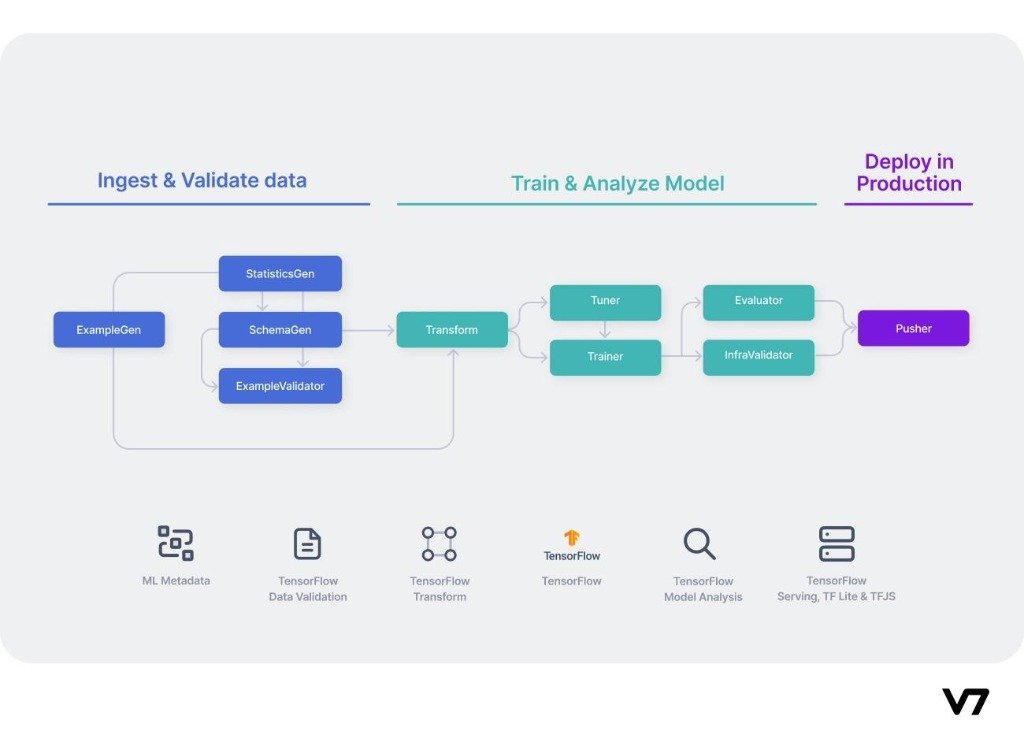
I truly believe the best way to learn anything new is simply by playing around with it! Start small, and give yourself permission to experiment.
Your very first, exciting little program might just:
Say hello by importing TensorFlow.
Spin up a couple of basic tensors.
Ask them to do some simple math together.
And proudly display the results on your screen.
As you start feeling more at home, you'll naturally graduate to playing with real datasets, training actual models, and making predictions. Please don't stress if the heavy math behind it all feels a bit foggy right now. TensorFlow is like a wonderfully supportive co-pilot; it handles the complex calculus behind the scenes so you can focus on learning step by step at your own pace.
What is Keras?
If you want to know one of the biggest reasons people adore TensorFlow, look no further than its beautiful friendship with Keras.
Keras is a wonderful, high-level interface tucked right inside TensorFlow, and its entire goal in life is to make building neural networks feel effortless and intuitive.
Instead of drowning in hundreds of lines of tangled code, Keras lets you sketch out deeply sophisticated models using syntax that is clean, readable, and genuinely enjoyable to write.
It's an absolute dream for beginners (and experts!) because it:
Saves you from typing the same repetitive code over and over.
Hands you a toolbox full of pre-built neural network layers.
Comes packed with all the popular optimisation tricks you'll need.
Offers ready-made formulas to help your model figure out where it's making mistakes.
Turns the daunting tasks of training and evaluating your model into a walk in the park.
In fact, some of the most impressive, world-changing AI systems out there are proudly built using the dynamic duo of TensorFlow and Keras.
Building Your First Neural Network

It's fascinating to think that neural networks were actually inspired by the way our very own brains process the world around us.
Now, while our human brains are undeniably far more complex, artificial neural networks borrow that brilliant concept of thousands of tiny, interconnected units teaming up to make sense of patterns.
If you peek inside a standard neural network, you'll generally find a structure like this:
Input Layer
This is the welcoming committee! It's where the raw data like a fresh image, a paragraph of text, or a spreadsheet of numbers first enters the system.
Hidden Layers
This is where the real deep-thinking happens. These middle layers silently process the information, searching for subtle, meaningful patterns and relationships.
In modern deep learning, a model might have just a few, or it could have hundreds of these hidden layers stacked up, working tirelessly depending on how tough the problem is.
Output Layer
Finally, we reach the spokesperson. This layer confidently hands over the final prediction.
It might excitedly declare things like:
- "That's definitely a dog!"
- "Watch out, this email is spam!"
- "This movie review is glowing and positive!"
- "Good news, no signs of disease detected."
Understanding Model Training
Training a model is a lot like helping a student study with flashcards. You patiently show it example after example (with the correct answers attached) so it can learn from its mistakes and improve.
If you're curious, a typical training journey goes something like this:
Gather up a fantastic dataset to learn from.
Set some data aside as a "final exam" to test the model later.
Snap your neural network architecture together.
Let the model study and train on the data.
Give it the final exam to see how accurate it really is.
Tweak and encourage the model to help it do even better.
Finally, send it out into the world to do great things!
All throughout this training phase, your model is quietly tweaking its own internal dials and knobs, trying its absolute hardest to make fewer mistakes next time.
Evaluating Model Performance
Here's a crucial tip: never trust a model just because it aced the practice test with data it already memorised!
The true measure of a great AI is how brilliantly it handles completely new, unseen situations that surprise it.
To figure that out, we use some friendly scorecards (metrics) like:
- Accuracy (how often it's flat-out right)
- Precision (when it says yes, is it really yes?)
- Recall (did it miss any hidden positive examples?)
- F1 Score (a nice balance of precision and recall)
- Mean Squared Error (great for figuring out how far off a number prediction is)
Don't stress about learning them all at once! The metric you choose just depends on the unique puzzle you're trying to solve.
Popular TensorFlow Libraries
As you grow with TensorFlow, you'll discover it comes with some amazing, specialised sidekicks that make your life so much easier.
TensorFlow Lite
This little powerhouse is custom-built for when you need to squeeze big AI into tiny spaces, like phones or embedded gadgets.
You'll see it bringing magic to:
- Snappy mobile AI apps
- Cameras that know what they're looking at
- Smart watches that track your workouts
- All sorts of clever Internet of Things (IoT) gadgets
TensorFlow.js
Want to run machine learning right in a web page without any server setup? TensorFlow.js has you covered, entirely in JavaScript!
It's perfect for building:
- Websites that can recognise images in a flash
- Fun, interactive AI demos to wow your friends
- Filters and analysis using your live webcam
- Engaging educational tools that respond in real-time
TensorFlow Extended (TFX)
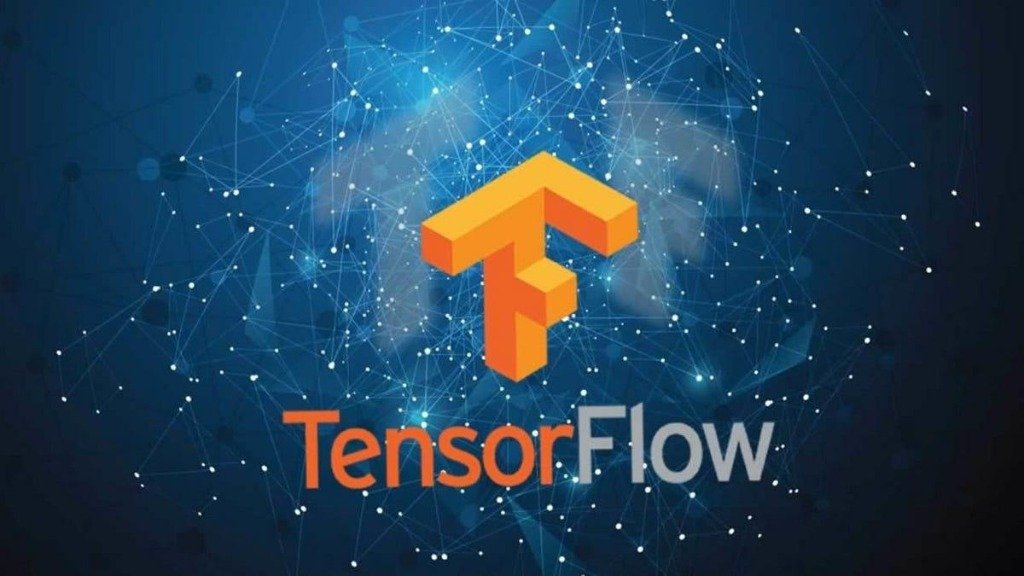
When you're ready to play in the big leagues, TFX is your enterprise-grade platform for keeping massive machine learning pipelines running smoothly.
Huge tech companies rely on TFX every day to automatically double-check their data, train models overnight, push them to production, and keep a watchful eye on them.
TensorBoard
Think of TensorBoard as the dashboard of your shiny new sports car. It's an absolutely stunning visual tool that lets you watch your model learn in real-time.
At a glance, it can show you:
- How smoothly the training is going
- Beautiful curves showing your accuracy climbing
- Graphs showing your model's mistakes going down
- The complete, visual map of your computational graph
- A lovely diagram of your entire model's architecture
Having this kind of visual feedback makes fixing bugs and polishing your model feel incredibly satisfying.
Real Projects You Can Build with TensorFlow
Once you've wrapped your head around the basics, the real fun begins: bringing your own practical AI ideas to life!
If you're looking for some inspiration, here are some fantastic, beginner-friendly projects to dive into:
- A tool that reads messy handwritten digits
- A system that detects if someone is wearing a face mask
- An app that acts as a doctor for plant diseases
- Your very own personalized movie recommendation engine
- A smart filter that sniffs out fake news articles
- A model that tries to predict local house prices
- A tough-as-nails email spam classifier
- A tool that predicts if a customer is about to cancel their subscription
- An analyzer that reads text and senses the emotion (sentiment) behind it
- A classic image classification model that organizes your photos
Not only are these projects deeply satisfying to build, but they also look absolutely stellar when you show them off in your portfolio!
Common Mistakes Beginners Should Avoid
Stepping into the world of TensorFlow is thrilling, but we've all stumbled into a few potholes along the way.
To save yourself some headaches, try to avoid these common traps:
Rushing into the super advanced stuff before you feel completely comfortable with the basics.
Skimming over your core Python skills they're your foundation!
Feeding your model messy, poor-quality data and hoping for a miracle.
Getting discouraged when your model isn't 100% accurate on day one. (Patience is key!)
Copy-pasting code from tutorials without taking a moment to understand what it actually does.
Skipping the evaluation step and just assuming the model works perfectly.
Forgetting to leave helpful comments and documentation for your future self.
Throwing in the towel the moment a scary red error message pops up.
Always remember, making mistakes, debugging, and experimenting are totally normal, beautiful parts of the learning journey. Embrace them!
Best Learning Resources
As you continue to grow and sharpen your TensorFlow skills, it's a great idea to mix up how you learn. Try blending official guides, online courses, a good book, and lots of hands-on building.
Here are some of my absolute favorite places to keep learning:
- The beautifully detailed official TensorFlow documentation
- Google's own wonderful AI learning hubs
- Deep, structured machine learning courses on Coursera
- Kaggle (it's a goldmine for fun datasets and friendly competitions!)
- Digging through open-source projects on GitHub
- Engaging, follow-along tutorials on YouTube
- Fascinating new AI research papers
- Inspiring technical blogs written by developers just like you
Trust me, when you mix reading theory with actually getting your hands dirty in code, your progress will absolutely skyrocket.
Career Opportunities After Learning TensorFlow
Adding TensorFlow to your toolbelt is honestly one of the best things you can do for your career. Every industry is looking for folks who know how to wield this magic.
You could find yourself stepping into exciting roles like:
- Machine Learning Engineer
- Artificial Intelligence Engineer
- Data Scientist
- Deep Learning Engineer
- Computer Vision Engineer
- Natural Language Processing Engineer
- Robotics Engineer
- Research Scientist
- AI Software Developer
- MLOps Engineer
What employers really love to see these days is passion. Showing them a portfolio full of creative projects, a cool internship, or some thoughtful open-source contributions will definitely make you stand out from the crowd.
Tips for Becoming a Better TensorFlow Developer
At the end of the day, success in machine learning isn't about having a photographic memory; it's about showing up, being curious, and practicing consistently.
Here are a few parting tips to carry with you:
Keep polishing your Python skills; it pays off immensely.
Celebrate the small wins. Build tiny, fun projects before wrestling with complex ones.
Let the math come to you gradually. Don't let it scare you away from starting.
Get messy with real-world data whenever you get the chance.
Jump into a Kaggle competition even if you place last, you'll learn so much!
Make a habit of reading a little bit of documentation every week.
If you fix a bug in an open-source project, share it back with the community.
Never stop tinkering and experimenting with different ways to build your models.
Keep a curious eye on new TensorFlow updates and what's happening in AI research.
Remember, it's the small, quiet, consistent steps you take every day that lead to the most breathtaking progress. You've got this!
Tensorflow Essential Resources
Ready to take the next step? Here are the most relevant and targeted resources specifically for Tensorflow: